A Mini DV camcorder tape player is a must-have device for anyone who wants to relive or digitize cherished memories captured on Mini DV tapes. Whether you’re a videographer, hobbyist, or simply looking to transfer old home videos, a Mini DV tape player can make the process smooth and efficient. In this topic, we will explore what a Mini DV camcorder tape player is, how it works, its key features, benefits, common issues, and tips for choosing the right one.
What Is a Mini DV Camcorder Tape Player?
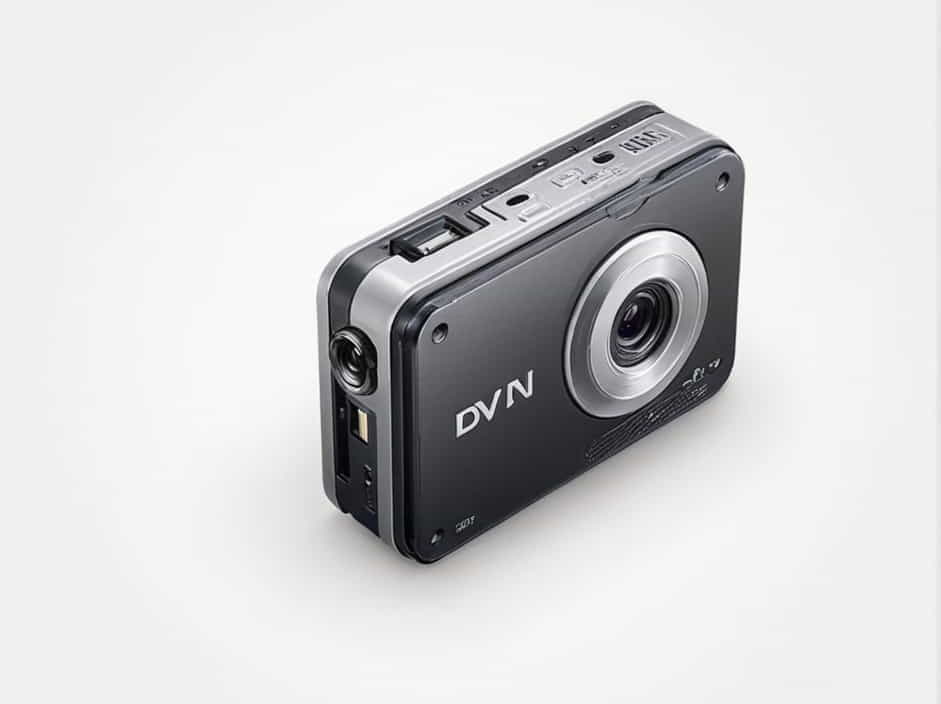
A Mini DV camcorder tape player is a specialized device designed to play Mini DV tapes. Mini DV tapes are small digital video cassettes that were widely used in the late 1990s and early 2000s for recording high-quality digital video footage. These tapes store video in digital format, allowing for excellent resolution and audio quality compared to older analog tapes.
While most Mini DV tapes can be played back using the camcorder they were recorded on, a dedicated Mini DV tape player or deck is more convenient for transferring video to a computer or television without wearing out the camcorder.
Key Features of a Mini DV Camcorder Tape Player
1. High-Quality Playback
Mini DV tape players are built to offer crystal-clear video playback, preserving the digital quality recorded on the tape.
2. FireWire (IEEE 1394) Connectivity
Most Mini DV tape players come equipped with a FireWire port, allowing for fast and reliable video transfer from tape to a computer or other digital storage device.
3. Multi-Format Compatibility
Some Mini DV players also support Digital8 and HDV tapes, making them versatile tools for those with multiple tape formats.
4. Compact and Lightweight Design
Mini DV tape players are typically compact and portable, allowing users to set them up easily on a desk or media station.
5. LCD Display and Control Buttons
Many tape players include a small LCD screen for quick viewing and control buttons for play, rewind, fast forward, and stop functions.
Benefits of Using a Mini DV Camcorder Tape Player
1. Protect Your Camcorder
Instead of using your camcorder for playback and risking mechanical wear, a dedicated tape player prolongs your camera’s life.
2. Efficient Video Transfer
A Mini DV tape player with FireWire enables smooth and fast video transfers to your computer, ideal for archiving or editing.
3. Better Handling of Older Tapes
Tape players are often built with robust mechanisms to handle older or delicate tapes more gently.
4. Convenience
A dedicated player allows you to play back your recordings on a larger screen without connecting your camcorder every time.
How to Transfer Mini DV Tapes to Digital
Transferring your Mini DV tapes to a digital format is essential to preserve your memories for the long term. Here’s how to do it using a Mini DV tape player:
1. Gather Equipment
-
Mini DV tape player
-
Computer or laptop with FireWire or USB capture device
-
FireWire cable or USB adapter
-
Video capture software (like iMovie, Adobe Premiere, or OBS Studio)
2. Connect the Tape Player
Connect the Mini DV tape player to your computer using the appropriate cable (usually FireWire).
3. Insert the Tape
Insert the Mini DV tape into the player and rewind it to the start.
4. Open Capture Software
Launch your video capture software and select the correct input source.
5. Play and Record
Press play on the tape player and record in your software simultaneously.
6. Save and Edit
Once recorded, save the video in your desired format and start editing if needed.
Common Problems with Mini DV Camcorder Tape Players
1. Tape Jamming
This can happen with old or worn-out tapes. Regularly clean your player and tapes to avoid this issue.
2. Dropouts or Pixelation
If you notice video distortion, it could be due to dirty heads on the tape player. Use a head-cleaning cassette to fix this.
3. No Connection to Computer
Make sure your FireWire port or USB adapter is functioning and that you’ve selected the correct input in your capture software.
4. Playback Errors
If playback is jerky or skips frames, the tape may be damaged. Gently rewind and fast forward the tape a few times to realign it.
Tips for Choosing the Right Mini DV Camcorder Tape Player
1. Check Compatibility
Ensure the player supports your specific tape format, especially if you have HDV or Digital8 tapes in addition to Mini DV.
2. Look for FireWire Output
For easy digital transfer, having FireWire (IEEE 1394) is crucial. If your computer lacks FireWire, consider purchasing a capture adapter.
3. Portability
If you plan to use it in different locations, choose a lightweight and portable player.
4. Condition (New vs. Used)
Mini DV tape players are becoming rare, and many available units are used. Make sure to buy from a reliable seller and test the device thoroughly.
5. LCD Screen and Controls
A built-in display screen and easy-to-use controls make playback and tape navigation much simpler.
Where Mini DV Camcorder Tape Players Are Still Used
1. Video Production Studios
Many studios still have archives of Mini DV tapes, and tape players are essential for accessing that content.
2. Educational Institutions
Universities and schools with legacy footage rely on Mini DV tape players to digitize old material for presentations and archives.
3. Home Video Enthusiasts
Families with home videos on Mini DV tapes use tape players to preserve their memories and share them with newer generations.
How to Maintain Your Mini DV Camcorder Tape Player
1. Regular Cleaning
Use a head-cleaning tape every few months to keep playback quality sharp and clear.
2. Store in a Cool, Dry Place
Avoid moisture and dust to prolong the life of your tape player.
3. Use High-Quality Tapes
Low-quality or damaged tapes can wear out the player’s heads faster.
4. Don’t Force Jammed Tapes
If a tape gets stuck, gently remove it and check for damage. Forcing it out can break the player’s internal components.
A Mini DV camcorder tape player remains an invaluable tool for anyone who wants to preserve, view, or transfer footage stored on Mini DV tapes. While technology continues to advance, these devices are crucial for unlocking memories captured decades ago.
With features like high-quality playback, FireWire connectivity, and compatibility with multiple tape formats, a Mini DV tape player is a smart investment for professionals and hobbyists alike. Whether you’re converting old family videos or digitizing archival footage, having the right tape player makes the process smoother and more reliable.
Taking proper care of your device, using clean tapes, and transferring footage to digital storage will ensure that your cherished moments live on for years to come.